 ← Back to congamedia.com
← Back to congamedia.com
← Back to congamedia.com
Account
You can delete your Conga account at any time, directly in the mobile app. Here’s how — and how to reach us if you need a hand.
Open the Conga app on your phone and follow these four steps. It only takes a moment.
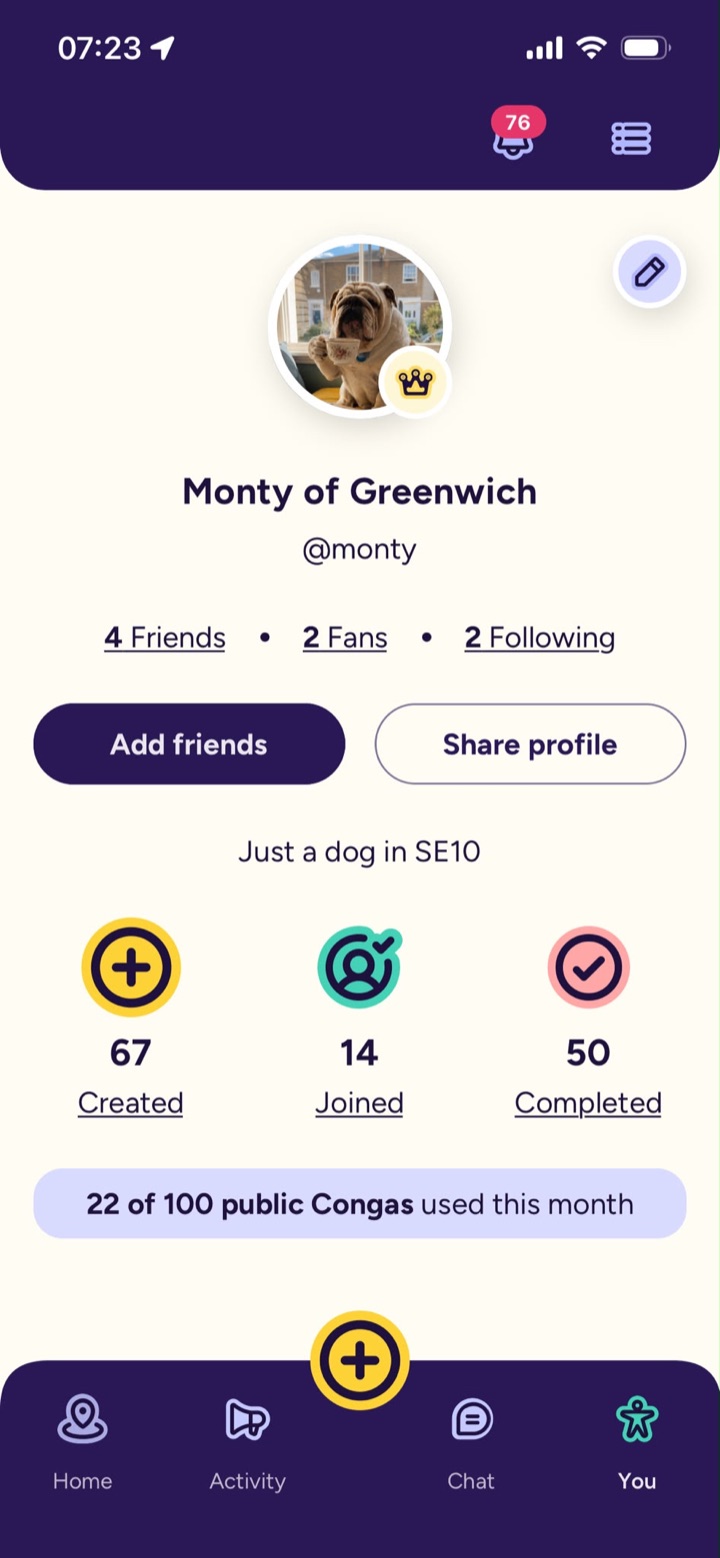
Open your profile — it’s the last tab on the bottom navigation bar.
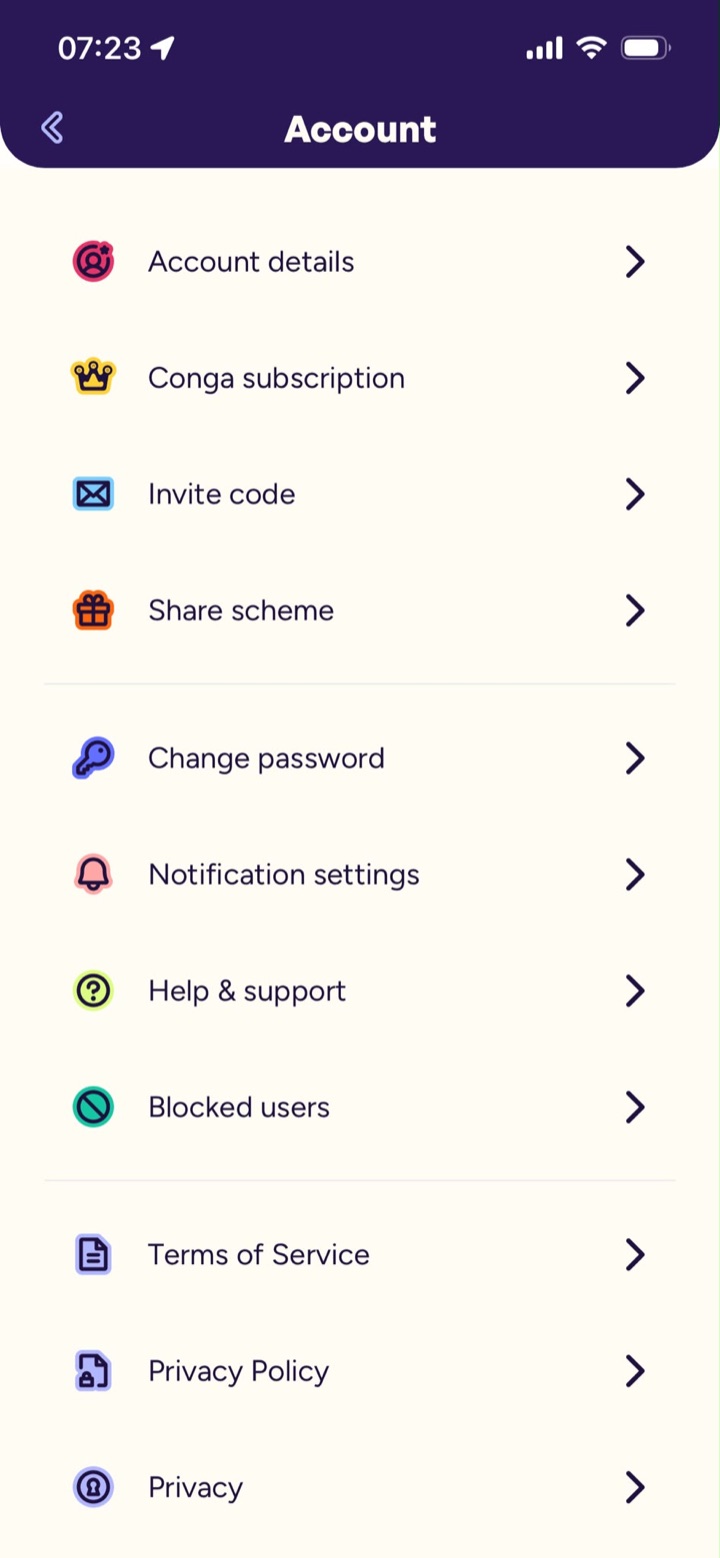
Top right of your profile. This opens your Account settings.
The first item in the Account list.
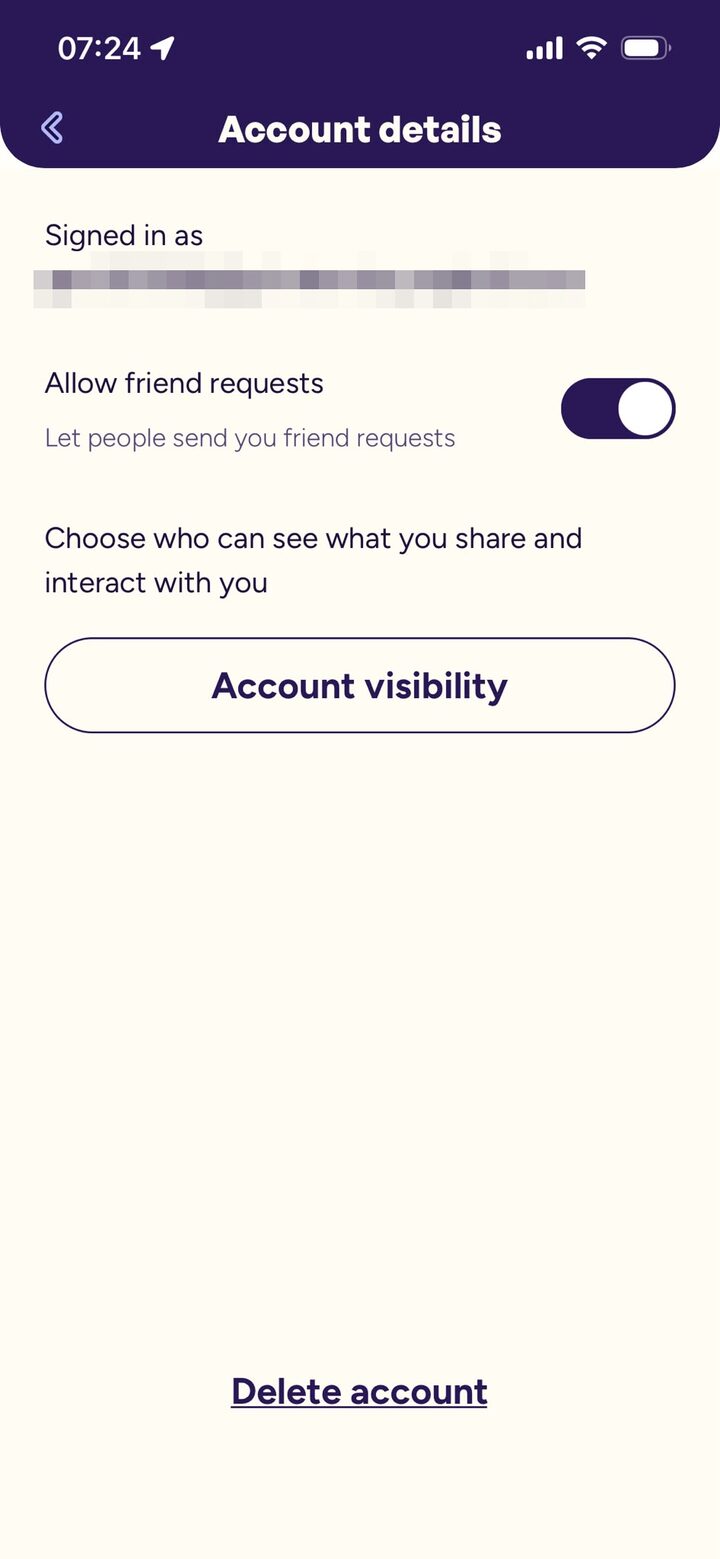
Scroll to the bottom and tap Delete account, then confirm. Deletion is immediate — there’s no grace period once confirmed.
Deleting your account does not cancel any active subscriptions. You’ll need to cancel these separately through the Apple App Store or Google Play, as Conga is not able to do this on your behalf.
Cancelling a subscription prevents future renewals but does not refund the current billing period, except as required by the relevant app store or by law.
If you run into any problems deleting your account — or anything else in Conga — our support team is here to help. Email us any time and we’ll get back to you.
support@congamedia.comTell us what’s going on and we’ll help. So we can find your account, please enter the email address and username you registered with in the app.